Amit
March 23, 2026
The Best Firebase Alternative
The Best Firebase Alternative for Developers Who Want Control


No-code app builders have transformed how people create software in 2026. What used to require months of development and a technical team can now be built in days by anyone with an idea. But with dozens of platforms claiming to be the "best," choosing the right one has become its own challenge. This guide breaks down 7 of the most popular no-code app builders, covering what each does well, where it falls short, and who it's built for - so you can pick the right tool before you invest weeks into the wrong platform.
Author:
Published:
Updated:
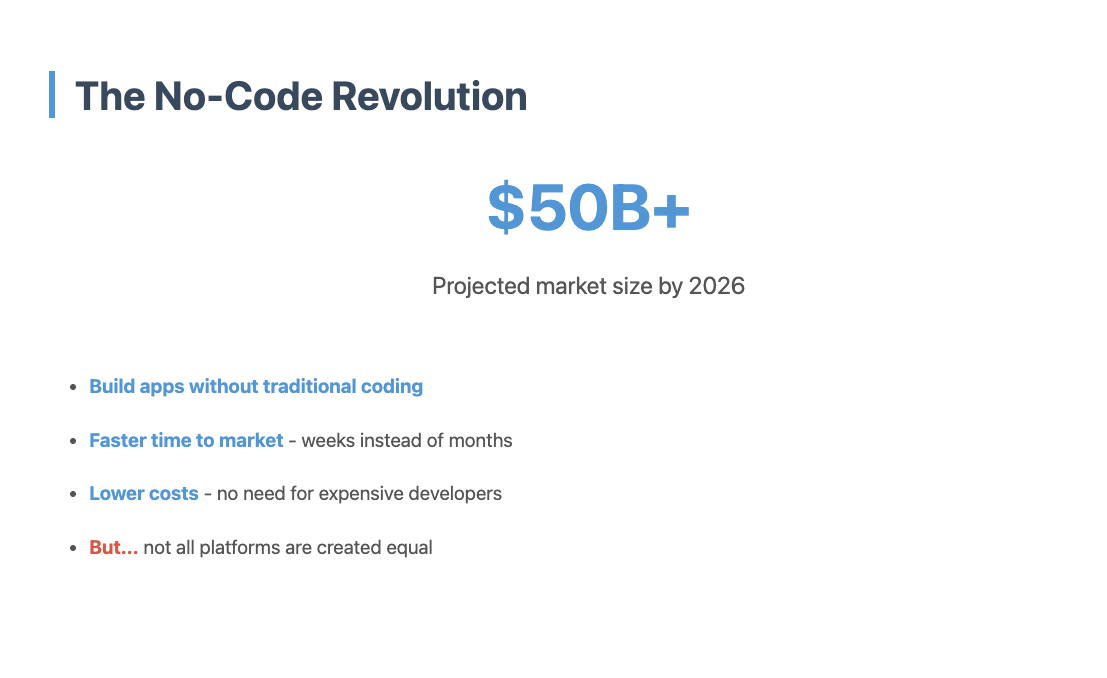
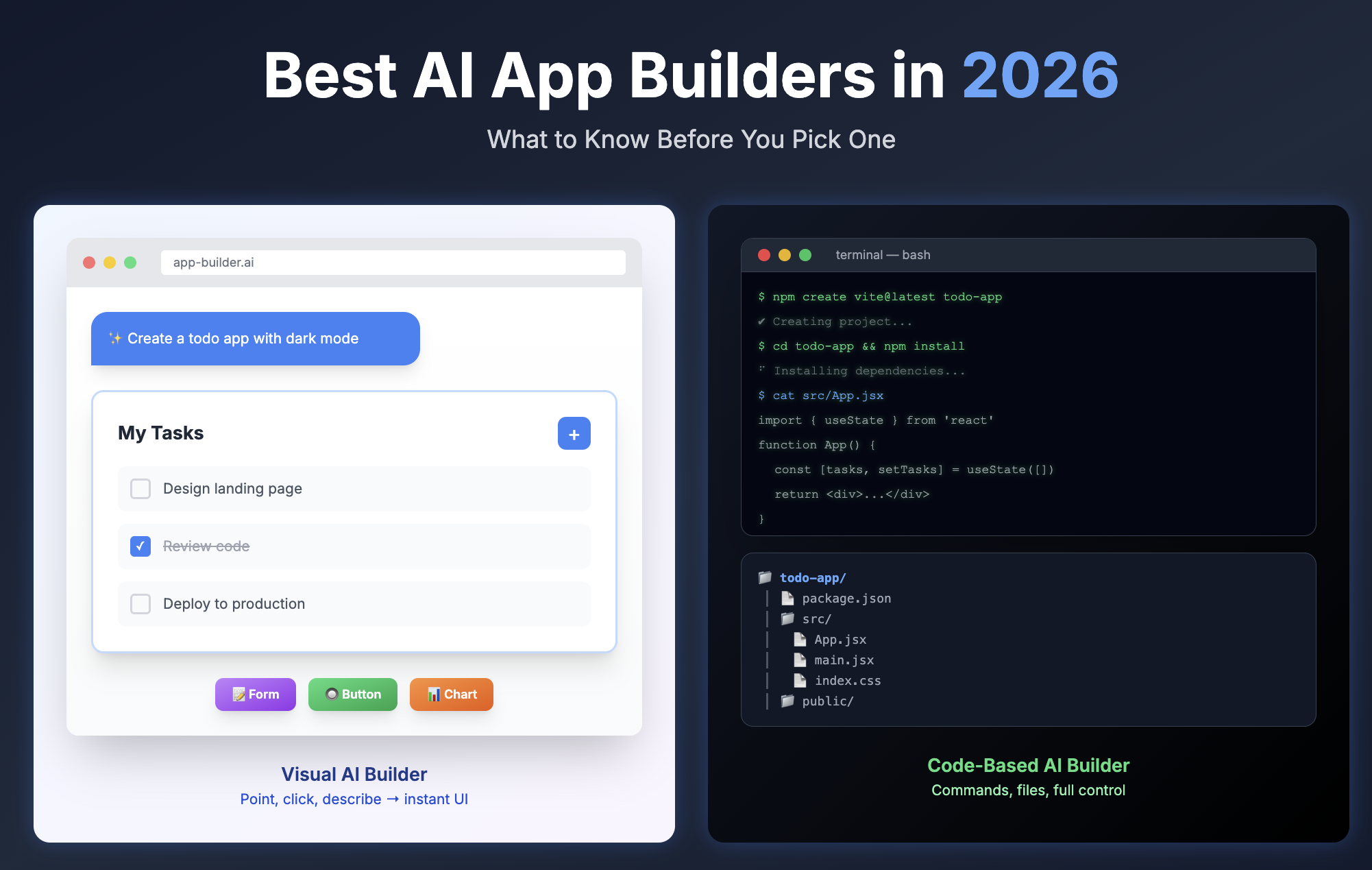
Five years ago, building an app meant hiring developers, learning to code, or giving up on your idea entirely. Today, no-code platforms have democratized software creation. From solo entrepreneurs launching startups to Fortune 500 companies building internal tools, no-code has proven it's not just for prototypes anymore.
But "no-code" has become an umbrella term covering wildly different tools. Some are visual builders with drag-and-drop interfaces. Others are database-first platforms that generate apps from your data structure. Some focus on web apps, others on mobile, and a few try to do both. And increasingly, AI-powered platforms are emerging that generate actual code, giving you transparency and control that traditional no-code builders can't match. The right choice depends on what you're building, how much customization you need, whether you plan to scale, and how much control you want over the final product.

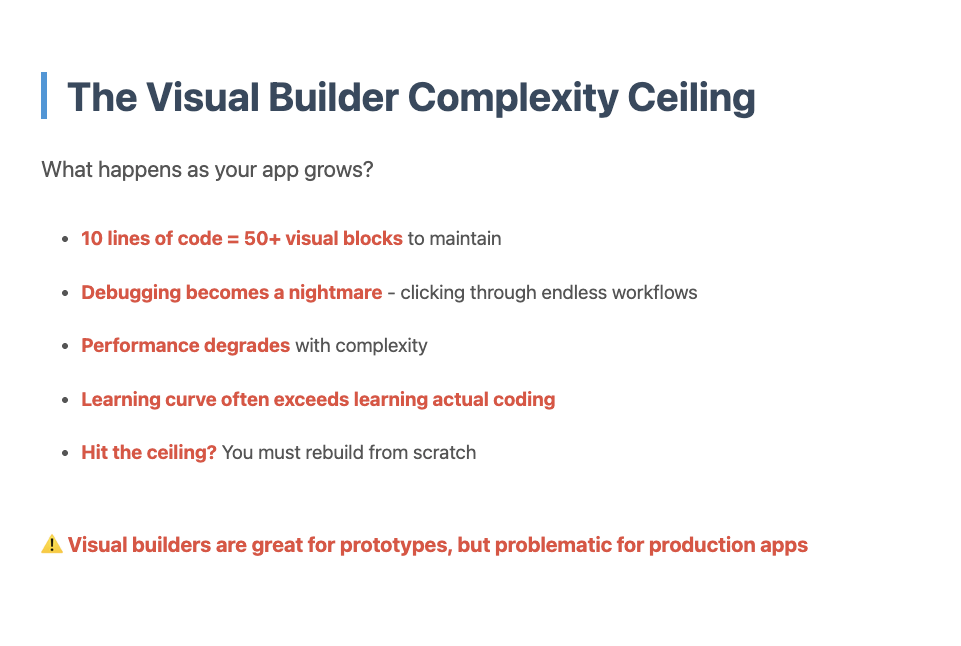
Before diving into specific platforms, there's an uncomfortable truth about visual no-code builders that most comparison articles skip: visual programming fundamentally limits complexity. What starts as "easy drag-and-drop" becomes exponentially harder to maintain as your application grows.
Visual builders like Bubble, Adalo, and FlutterFlow work beautifully for simple apps - user authentication, basic CRUD operations, straightforward workflows. But the moment you need complex business logic, conditional workflows with multiple branches, or sophisticated data transformations, you're fighting against the medium itself. Representing complex logic visually is like trying to write a novel using only emojis - it's technically possible, but unnecessarily difficult.
The maintenance problem compounds over time. A visual workflow that made perfect sense when you built it becomes a tangled mess of connections six months later. Debugging becomes a game of clicking through dozens of visual nodes trying to find where logic breaks. And as your team grows, onboarding new developers to a visual codebase is significantly harder than showing them actual code they can read, search, and understand.
Here's the question most founders don't ask early enough: If your app succeeds and needs to scale, will you eventually need to rebuild it with real code? If the answer is "probably yes," then starting with a visual builder means you're building technical debt from day one. You're not just building an MVP - you're building an MVP that you'll need to throw away and rebuild when it matters most.
This doesn't mean visual builders are bad choices - they're excellent for specific use cases. But if you're building something with long-term potential, something that will need to evolve and scale, consider whether a code-generating AI platform might give you the speed of no-code with the flexibility of real code. You'll thank yourself later.
Every tool on this list was evaluated against the same criteria. These aren't just feature checklists - they're the questions that matter when you're actually trying to ship something.
Here's what we looked at: ease of use (how steep is the learning curve?), flexibility and customization (can you build what you actually need, or are you limited to templates?), platform capabilities (web, mobile, or both?), integrations and data sources (can it connect to your existing tools and databases?), scalability (what happens when you get 10,000 users?), pricing and value (what do you actually get at each tier?), export and lock-in (can you take your app elsewhere if needed?), and community and support (when you get stuck, can you find help?).
No single platform wins on every criterion. The right choice depends on your specific needs, technical comfort level, and long-term plans.
Quick Comparison Table
Visual builder with a steep learning curve and complexity ceiling.
Bubble is a popular visual programming platform for building web applications without traditional code. It offers a drag-and-drop interface where you connect logic blocks to create workflows, manage databases, and handle user authentication.
The Reality of Visual Programming: While Bubble markets itself as capable of building "anything," the visual format becomes increasingly unwieldy as your app grows in complexity. What takes 10 lines of code can require dozens of interconnected visual blocks, making debugging and maintenance challenging. The learning curve is substantial - expect 3-4 weeks of dedicated learning before you can build anything meaningful, which is often longer than learning basic JavaScript.
Complexity Ceiling: Bubble works well for simple CRUD applications (Create, Read, Update, Delete) with straightforward workflows. But once you need sophisticated business logic, complex data transformations, or advanced conditional workflows, you'll find yourself fighting against the visual format. Many developers report hitting a "Bubble wall" where the platform's limitations become apparent, forcing them to either compromise on features or rebuild elsewhere.
Lock-in Concerns: Unlike platforms that export code, Bubble keeps you locked into their ecosystem. Your application logic is stored in their proprietary visual format, making migration to another platform extremely difficult. If Bubble changes pricing, shuts down, or you outgrow the platform, you're essentially starting from scratch. There's no "export to code" option for your workflows and logic.
Performance Issues: Bubble apps are known for slower performance compared to traditionally coded applications, especially as complexity increases. The platform uses "capacity units" to measure server resources, and costs can escalate quickly as your user base grows.
Pricing: Free tier for learning and prototyping. Paid plans start at $29/month (Basic) and scale to $349/month (Growth) based on capacity units. Enterprise plans available for high-traffic applications.
Best for: Simple web apps with basic CRUD operations, straightforward workflows, and limited user bases. Internal tools or MVPs where you're testing an idea before committing to a proper development approach.
Not ideal for: Anything beyond simple applications. Complex business logic, high-performance requirements, apps you plan to scale significantly, or projects where you need code ownership and migration flexibility.
Honest take: Bubble is often oversold as a "build anything" platform. In reality, it's best suited for simple applications and prototypes. The steep learning curve means you could learn actual coding in the same timeframe, which would give you far more flexibility and no platform lock-in. If your app succeeds and needs to scale or add complex features, you'll likely need to rebuild it properly anyway. Consider Bubble only if you're certain your needs will remain simple, or if you're building a throwaway prototype.

The mobile-first builder for simple apps.
Adalo focuses on one thing: making it easy to build mobile apps. While most no-code platforms started with web and added mobile later, Adalo was designed for mobile from day one. The result is a builder that feels natural for creating iOS and Android apps, with components and interactions that work the way mobile users expect.
The component-based approach makes Adalo approachable for beginners. You drag pre-built components (lists, forms, maps, payment screens) onto your canvas, connect them to your database, and define what happens when users interact with them. The platform handles responsive design automatically, and you can preview your app on your phone in real-time using the Adalo mobile app.
Adalo includes a built-in database, user authentication, push notifications, and integrations with services like Stripe, Google Maps, and various APIs. The marketplace offers additional components and templates built by the community.
Pricing: Free tier with Adalo branding. Paid plans start at $36/month (Pro) for custom domains and app publishing, scaling to $52/month (Team) for multiple apps and team collaboration. Publishing to app stores requires Pro or higher.
Best for: Solo entrepreneurs and small teams building mobile-first apps with straightforward workflows - think fitness trackers, local business directories, event apps, or simple marketplaces.
Not ideal for: Complex business logic, web-first applications, or apps that need extensive customization beyond what components provide. Also not ideal if you need to export your app - you're locked into Adalo's platform.
Honest take: Adalo is the fastest path from idea to published mobile app, but you'll hit limitations quickly if your app needs custom features. The component-based approach is both Adalo's strength and weakness - it makes simple things very easy, but complex things very hard. Performance can be an issue with data-heavy apps, and you're completely dependent on Adalo's infrastructure and pricing.
Turn spreadsheets into apps in minutes.
Glide takes a radically different approach to no-code: instead of building an app and then adding data, you start with your data in a spreadsheet (Google Sheets, Excel, or Airtable) and Glide generates an app from it. This makes Glide incredibly fast for certain use cases - if your app is essentially a way to view and interact with structured data, you can have a working app in under an hour.
The platform automatically creates layouts based on your data structure. A spreadsheet with employee information becomes a directory. A list of inventory items becomes a catalog. A table of tasks becomes a project tracker. You customize the appearance and add interactions (forms, buttons, filters), but the data structure drives everything.
Glide recently added AI-powered features that can populate and update database fields, making it even faster to build data-driven apps. The platform supports both web and mobile, with progressive web app (PWA) technology that works across devices.
Pricing: Free tier for personal use. Paid plans start at $25/month (Maker) for custom domains and more users, scaling to $99/month (Business) for advanced features and higher usage limits. Enterprise plans available.
Best for: Internal tools, directories, catalogs, simple CRMs, and any app where the primary function is displaying and collecting structured data. Perfect for teams already using spreadsheets who want a better interface.
Not ideal for: Apps with complex user interactions, custom workflows, or features that don't map to spreadsheet operations. Also not ideal if you need native mobile app store presence - Glide apps are PWAs, not native apps.
Honest take: Glide's spreadsheet-first approach is brilliant for its target use case, but limiting outside of it. If your app fits the "structured data with a nice interface" pattern, Glide is unbeatable for speed and simplicity. But if you need custom logic, complex workflows, or features beyond CRUD operations, you'll quickly outgrow the platform. The good news is that your data stays in your spreadsheet, so you're not completely locked in.

Build native mobile apps with Flutter, no code required.
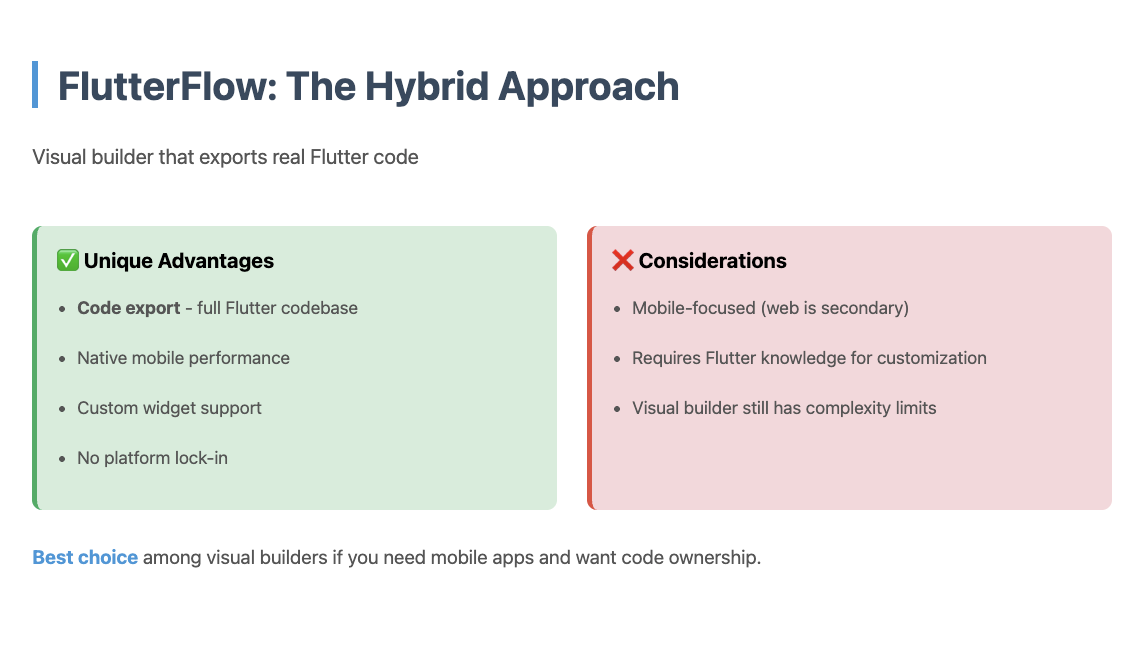
FlutterFlow is the only no-code platform that generates real Flutter code - the same framework Google uses for production mobile apps. This means you get truly native performance on iOS and Android, with access to device features (camera, GPS, sensors) that web-based platforms can't match.
The visual builder lets you design custom UIs with pixel-perfect control, then add logic through a visual workflow system. FlutterFlow includes Firebase integration for backend services (database, authentication, storage), API connections, and state management. The platform recently added AI-powered design and code generation, making it faster to build complex interfaces.
What sets FlutterFlow apart is code ownership. You can export your entire app as Flutter code at any time, modify it in your own IDE, and deploy it however you want. This makes FlutterFlow a viable choice for serious mobile apps that might eventually need custom development.
Pricing: Free tier for learning and testing. Paid plans start at $30/month (Standard) for code export and app publishing, scaling to $70/month (Pro) for team features and advanced integrations. Enterprise plans available.
Best for: Founders and developers building native mobile apps that need custom UI, device features, or the option to export and continue development in code. Ideal for consumer apps, mobile-first startups, and projects that might scale beyond no-code.
Not ideal for: Web-first applications (FlutterFlow focuses on mobile), simple apps that don't need native performance, or beginners who find Flutter's component model overwhelming.
Honest take: FlutterFlow has the steepest learning curve after Bubble, but delivers the best mobile app quality of any no-code platform. The Flutter code export is a genuine safety net - if you outgrow no-code or FlutterFlow shuts down, you own your app. The main downside is that FlutterFlow is mobile-focused; while you can deploy to web, it's clearly designed for mobile-first experiences.
Build client portals and internal tools from Airtable.
Softr specializes in a specific but valuable use case: turning Airtable databases into polished web applications. If you're already using Airtable to manage your business data, Softr provides the fastest path to giving your team, clients, or customers a proper interface for that data.
The platform uses a block-based approach where you select pre-built blocks (lists, forms, charts, calendars) and connect them to your Airtable base. Softr handles user authentication, permissions, and responsive design automatically. The result is a professional-looking portal or internal tool without writing code or designing from scratch.
Softr recently added its own database option (Softr Tables) for users who don't want to use Airtable, plus AI-powered app generation and workflow automation. The platform also supports other data sources including Google Sheets and various APIs.
Pricing: Free tier for personal projects. Paid plans start at $49/month (Starter) for custom domains and more users, scaling to $249/month (Business) for advanced features and white-labeling. Enterprise plans available.
Best for: Businesses building client portals, member directories, internal tools, or customer-facing dashboards on top of existing Airtable data. Perfect for agencies, consultants, and operations teams.
Not ideal for: Complex applications with custom logic, mobile apps, or projects that don't fit the portal/dashboard pattern. Also not ideal if you're not already using Airtable or don't want to learn it.
Honest take: Softr is excellent at what it does, but what it does is narrow. If you need a portal or internal tool and you're using Airtable, Softr is the obvious choice. But it's not a general-purpose app builder - it's a specialized tool for a specific use case. The block-based approach makes simple things very fast but limits customization compared to platforms like Bubble.
Full transparency and control - with surprisingly strong support for non-technical users.
NonBioS takes a fundamentally different approach from every other no-code platform. Instead of a visual builder or sandboxed environment, you get a dedicated Ubuntu Linux virtual machine (4GB RAM, 2 vCPU) with full root access. An AI agent builds your app by executing real Linux commands on your VM - and every single command is visible to you in real time.
This transparency is the core differentiator. When the NonBioS agent writes code, you see the file it creates. When it installs a dependency, you see the apt-get or npm install command. When it configures a database, you see the SQL statements. When it tests the result, you see the curl command and its output. Nothing is abstracted away. The agent also periodically shares its plan, explains its reasoning, and pauses when it needs your input.
The practical consequence: When the AI gets stuck - and every AI builder gets stuck eventually - you're never truly blocked. You can see exactly where things went wrong, open the built-in shell or SSH into the VM directly, and fix the issue yourself or redirect the agent. This is "unblockable development" - because the environment is transparent and fully accessible, there's always a path forward.

What makes NonBioS different:
What's surprising: NonBioS was designed for developers, but a significant portion of its user base is semi-technical or even non-technical. The transparency that helps developers also helps beginners - when you can see every step the agent took, it's much easier to diagnose what went wrong. Combined with the Discord support model, people with no coding background are shipping real applications.
Pricing: Free tier includes 60 agent minutes (time the AI is actively working, not your thinking time) with no credit card required - genuinely enough to get an MVP out the door. Paid plans start at $29/month for 180 minutes. One key advantage: the base plan includes hosting on your dedicated VM with a public IP. You're not paying separately for deployment or infrastructure.
Best for: Developers and technical founders who want to understand and control what the AI is doing. Teams building production applications that need real infrastructure. Projects that go beyond standard patterns. Also, increasingly, non-technical builders who are willing to learn and have access to strong support.
Not ideal for: Users who want a purely visual, drag-and-drop experience. Teams that need polished UI/UX design tools (NonBioS focuses on functionality over design). Projects where you need stakeholders to make changes without technical knowledge.
Honest take: NonBioS occupies a category that doesn't quite exist yet in most comparison articles - it's not a no-code builder, and it's not a code editor. It's closer to having an AI developer who works on a real server that you can watch and control. The transparency genuinely solves the "AI gets stuck" problem that frustrates users on every other platform. What's remarkable is how well the Discord support model works for non-technical users - it effectively turns a developer tool into something accessible to a much wider audience. For developers, technical founders, and people who have hit the ceiling on visual builders, it fills a gap nothing else does. And the free tier is generous enough to find out whether it works for you before spending anything.

Enterprise no-code for complex workflows.
Appgyver, now rebranded as SAP Build Apps after SAP's acquisition, is an enterprise-focused no-code platform designed for building complex business applications. It offers both web and mobile app development with a component-based visual builder and a powerful logic flow system.
The platform includes a comprehensive set of features: visual UI builder, data modeling, API integrations, workflow automation, and deployment options. SAP Build Apps integrates deeply with SAP's ecosystem, making it particularly attractive for enterprises already using SAP products.
What distinguishes SAP Build Apps from consumer-focused platforms is its emphasis on enterprise requirements: security, compliance, scalability, and integration with existing enterprise systems. The platform supports complex data models, multi-step workflows, and role-based access control.
Pricing: Free tier for individual developers. Enterprise pricing varies based on usage, users, and required features. Contact SAP for specific pricing.
Best for: Enterprise teams building internal tools, business process applications, and mobile apps that need to integrate with SAP or other enterprise systems.
Not ideal for: Consumer apps, startups, or projects that don't need enterprise features. The platform is powerful but complex, with a learning curve that reflects its enterprise focus.
Honest take: SAP Build Apps is overkill for most projects, but essential for enterprises that need no-code development within their existing SAP ecosystem. The platform is powerful and comprehensive, but the complexity and enterprise focus make it a poor choice for simpler projects or teams without enterprise requirements. If you're building for a large organization with complex integration needs, it's worth considering. If you're a startup or small business, look elsewhere.
The "best" no-code app builder depends entirely on what you're building and who you are. Here's a decision framework:
Start with your primary use case:
Consider your technical comfort level:
Think about long-term plans:
No-code platforms have proven valuable for prototyping and simple applications. However, the reality is more nuanced than the marketing suggests. Visual builders like Bubble work well for MVPs but often require rebuilding as apps grow. NonBioS users, on the other hand, are shipping production applications with full code ownership and no platform lock-in.
The key insight: visual no-code has a ceiling. If you're building something simple that won't evolve much, visual builders are fine. But if you're building something you plan to grow, scale, or maintain long-term, starting with a code-based approach (even if AI generates it for you) saves you from hitting that ceiling and having to rebuild.
The trend is clear: AI-powered code generation (like NonBioS) is replacing visual no-code for serious applications, while visual builders remain useful for quick prototypes and simple apps. The question isn't "no-code vs code" anymore - it's "visual no-code with a ceiling vs AI-generated code with full ownership."

Choose based on your project's trajectory, not just its current state. If you're building a throwaway prototype or a simple app that won't evolve, visual builders like Bubble, Adalo, or Glide work fine. But if you're building something you plan to grow, maintain, or scale, platforms like NonBioS that give you actual code ownership will save you from painful rebuilds down the road.
The most common mistake is choosing based on marketing or popularity rather than fit. A platform that's perfect for building a mobile fitness app might be terrible for building a client portal. A tool that's ideal for a solo founder might be overkill for a simple internal tool.
Take the time to understand what you're actually building, try the platforms that fit your use case, and choose based on your experience rather than reviews. Most platforms offer free tiers - use them to build a small version of your project before committing.
The no-code revolution has made software creation accessible to everyone. But like any tool, the results depend on choosing the right one for the job.
Quick signup, give NonBioS a high-level instruction, see progress within minutes. Your first multi-hour session is on the house.
No Credit Card Required