Shivani
September 1, 2026
Workspaces and Computer Controls: NonBioS for Portfolio Hackers
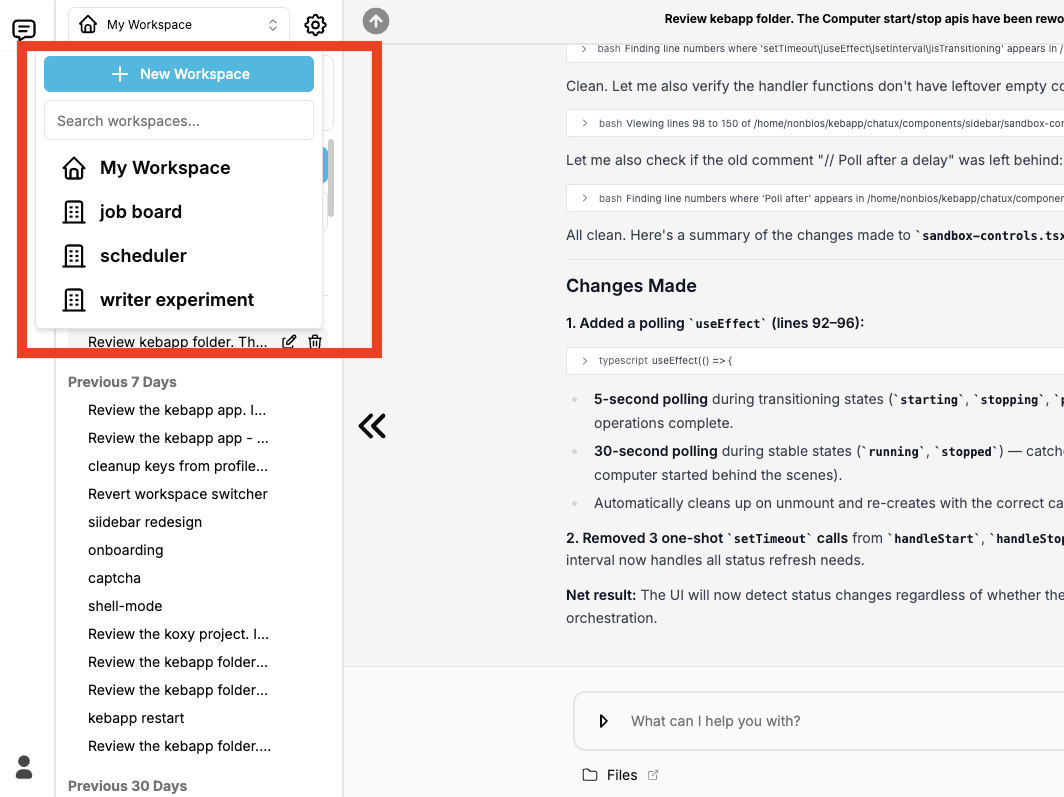
Two shipped features: multiple workspaces, one per project - and a real power switch for your computer.


OpenClaw Safe Installation: NonBioS Automates Setup on Isolated VM (Works for Any Open Source Software)
Author:
Published:
Updated:
OpenClaw (yeah, it used to be called Moltbot, and before that Clawdbot - long story) has blown up to over 149,000 GitHub stars in just weeks. It's the personal AI assistant everyone's experimenting with. It connects to WhatsApp, Discord, Telegram, and pretty much every messaging app you use. It can browse the web, manage your calendar, generate images, even clone your voice.
Sounds amazing, right?
Here's the problem: security researchers are calling it a security nightmare.
And they're not wrong.
What's Actually Going Wrong with OpenClaw?
There's a critical vulnerability. CVE-2026-25253 scored an 8.8 out of 10 on the severity scale. It allows one-click remote code execution through malicious links. Fixed in version 2026.1.29, but tons of people are running older versions.
Malicious packages everywhere. Over 230 fake "skills" (think plugins) were published in under a week. They're stealing API keys, cryptocurrency wallet keys, SSH credentials, and browser passwords.
Exposed instances leaking data. Hundreds of OpenClaw setups are accidentally exposed to the public internet, leaking chat histories and credentials.
The creator admits it's risky. Peter Steinberger, who built OpenClaw, straight up says in the official FAQ: "There is no perfectly secure setup."
Major security firms have weighed in:
Gary Marcus, a well-known AI researcher, didn't mince words:
"If you care about the security of your device or the privacy of your data, don't use OpenClaw. Period."
The security advice is clear: don't run OpenClaw on your personal computer.
So what are people doing? They're buying dedicated hardware. Twitter is full of Mac Mini unboxing videos. People buying 40 Mac Minis at once. Old laptops being pulled out of storage. Raspberry Pis flying off the shelves.
The Mac Mini has experienced an unexpected revival, transforming from Apple's "budget option" into a strategic tool for developers, AI enthusiasts, and security-conscious professionals. This shift isn't about nostalgia - it's about solving real problems that modern computing presents.
Developers and power users are experiencing "subscription exhaustion." Every AI tool - from ChatGPT Plus to Claude Pro to Copilot -demands $20-30 monthly. For someone using multiple AI services, costs easily exceed $100/month. The Mac Mini became the unexpected weapon in this battle because it offers a one-time investment that enables local AI models, eliminating recurring costs while maintaining privacy.
In an era where AI agents can execute code, access files, and make system changes, the question isn't "Can I trust this software?" but rather "How do I test it safely?" Traditional approaches - running experimental software on your main machine - carry unacceptable risks:
The Mac Mini solves this with physical isolation. It's not just a virtual sandbox -it's a completely separate computer that can be wiped, reset, or disconnected without affecting your primary workflow.
Recent benchmarks reveal something remarkable: the Mac Mini M4 with 64GB unified RAM outperforms NVIDIA's DGX Spark in certain AI workloads, particularly token generation for local language models. This isn't just about raw power - it's about efficiency. The M4's unified memory architecture means AI models can access data faster than traditional GPU setups, making it ideal for running tools like OpenClaw that leverage local AI capabilities.
Real-World Use Cases
Tech enthusiasts are discovering that a $599 Mac Mini (base M4 model) can run surprisingly capable local AI models. Combined with tools like OpenClaw, they can:
The Economics Make Sense
Consider this calculation:
Compare to:
The Mac Mini isn't just cheaper - it's yours. No subscription can be cancelled, no terms of service can change, and your data stays local.
The Practical Setup
What makes the Mac Mini particularly attractive for OpenClaw users:
People aren't buying Mac Minis because they're Apple fans or because they need another computer. For OpenClaw users specifically, it represents the ideal testing ground: a machine where an AI agent can have the freedom to explore, execute, and experiment without the constant fear of "What if something goes wrong?"
But here's the truth: you don't need to buy anything.
Here's the dilemma most people face when they hear about OpenClaw:
Option A: Risk Everything Install it on your personal computer, cross your fingers, and hope nothing breaks. Given the CVE-2026-25253 vulnerability (8.8/10 severity), the 230+ malicious packages, and the exposed instances leaking data everywhere, this is objectively a bad idea.
Option B: Miss Out Completely Listen to Gary Marcus and "don't use OpenClaw. Period." Stay safe, but never experience what 149,000+ GitHub stars are excited about.
Most people think these are the only two options. They're not.
Instead of risking your laptop or buying dedicated hardware, here's what nonbios provides:
1. Complete Isolation Through Cloud VMs
You get your own Ubuntu VM in the cloud with:
The critical difference: nonbios has root access to the VM - not your computer. Complete isolation. If OpenClaw gets compromised, if malicious code runs wild, if the entire system crashes - your personal computer, your files, your credentials remain untouched.
2. Zero Manual Setup (This Is the Game-Changer)
Traditional OpenClaw installation requires:
With nonbios, you type one sentence:
"Install OpenClaw from github.com/openclaw/openclaw"
And it does everything. Automatically.
No config files to edit. No Docker commands to memorize. No YAML syntax to debug. No firewall rules to configure.
3. Transparent, Real-Time Command Logging
Every single command nonbios runs is visible to you in real-time. You can:
This isn't a black box. You see everything.
We recorded the whole thing. Start to finish. No edits.
Here's what happened:
Minute 0: Blank nonbios chat
Minute 1-3: nonbios clones OpenClaw, installs all dependencies
Minute 3-5: Configures OpenRouter with Claude 3.5 Sonnet
Minute 5-7: Sets up Discord gateway (after we created the Discord bot)
Minute 7: OpenClaw running, connected to Discord, ready to use
Total setup time: 7 minutes
Commands we typed manually: 1
Configuration files we edited: 0
OpenClaw needs a language model to work. Most people use OpenRouter because it gives you access to Claude, GPT, DeepSeek, and dozens of other models through one API.
But here's what nobody talks about: if something goes wrong, you could rack up hundreds of dollars in API costs overnight.
Prompt injection attack? Malicious code? A bug that creates an infinite loop? All of these can drain your account.
Here's how to prevent that:
Create Your API Key the Right Way
Go to openrouter.ai, sign up, then navigate to the Keys section.
Click "Create New Key" and give it a name like "OpenClaw Test."
Now here's the critical part: set a credit limit.
You'll see an optional field that says "Credit Limit." Don't skip it.
That's it. Even if OpenClaw gets completely compromised, even if malicious code runs wild, you can't lose more than $10 (or whatever limit you set).
Let me walk you through it:
1. Sign up for nonbios (free tier, no credit card)
2. Create your OpenRouter API key with a $10 daily spending limit
3. Open nonbios chat and type:
"Install OpenClaw from https://github.com/openclaw/openclaw"
4. Watch nonbios work:
5. When prompted, give it your OpenRouter API key
6. If you want Discord integration:
7. Test it:
Total time: 10-15 minutes
Technical difficulty: Low
Risk to your computer: Zero
Here's what makes this really powerful:
There will always be another viral open source project. AutoGPT variants. Crypto tools. Experimental frameworks. Security research tools. Whatever.
And a lot of them will be risky to run on your personal computer.
The pattern stays the same:
What else can you safely test this way?
OpenClaw is powerful. The security risks are real. The advice from experts is unanimous: don't run it on your personal computer.
But you don't have to choose between "risk everything" or "miss out completely."
There's a third option:
Isolated VM + automated setup + spending limits + transparent logging = safe experimentation
Try OpenClaw. Try other experimental software. Build things, break things, learn — without putting your personal computer, credentials, or data at risk.
And when the next viral open source project drops (because there will always be another one), you'll already know how to test it safely.
OpenClaw has known security vulnerabilities, including the critical CVE-2026-25253 (severity 8.8/10). While the latest version patches critical issues, running it on your personal computer still poses significant risks:
The safest approach is using an isolated VM like nonbios provides, which keeps OpenClaw completely separated from your personal files, credentials, and network.
CVE-2026-25253 is a critical remote code execution vulnerability (severity 8.8/10) discovered in OpenClaw. It allows attackers to:
The vulnerability was patched in version 2026.1.29, but many users still run older, vulnerable versions. Even with the patch, security experts recommend running OpenClaw in isolated environments.
With nonbios:
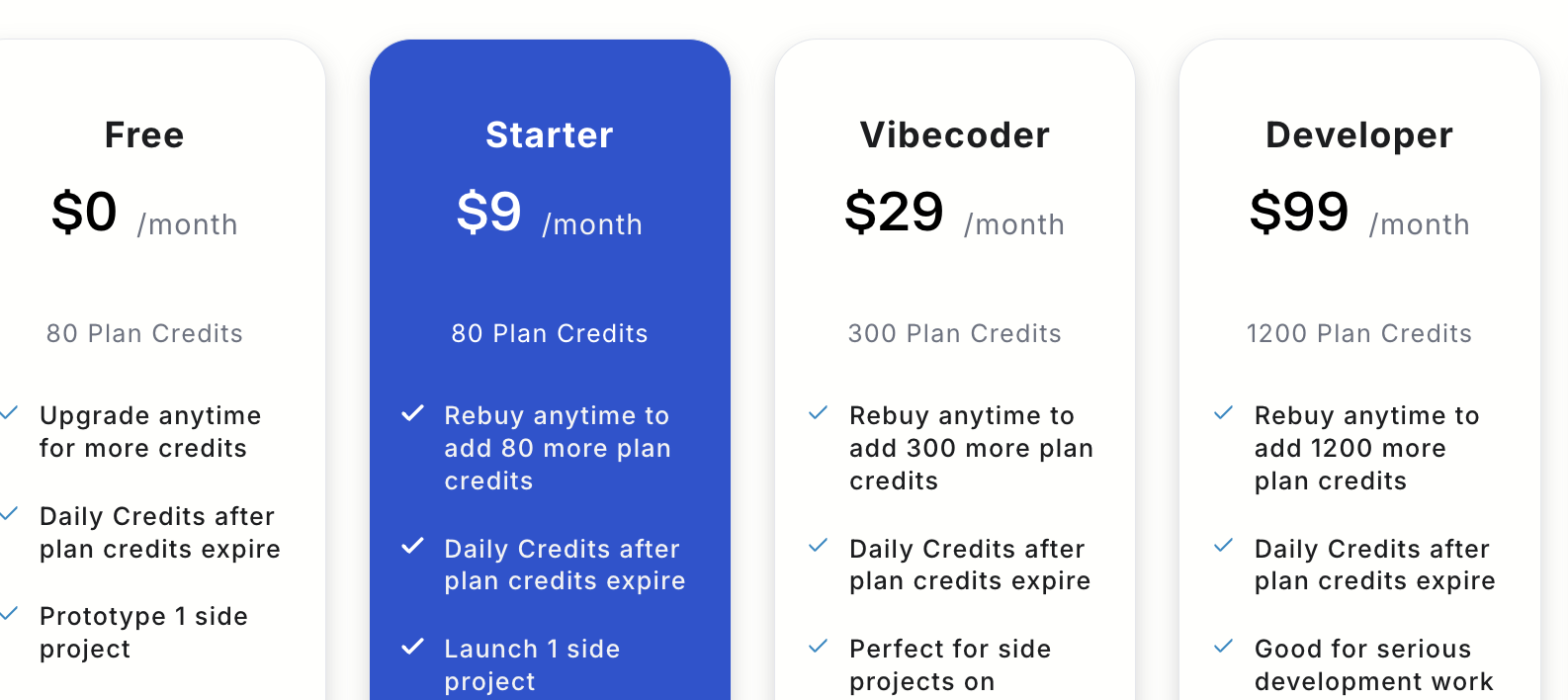
Total: $9-29/month
Compare to alternatives:
NonbioS is far cheaper than buying dedicated hardware and much safer than running on your personal computer.
Yes! OpenClaw is open source (Apache 2.0 license), so commercial use is permitted. However, for business use, you need enterprise-grade security:
NonBioS provides:
Many businesses use nonbios to safely deploy OpenClaw for internal automation, customer support bots, and research projects.
Open Source Alternatives:
Commercial Alternatives:
Key Differences:
In a nonbios VM, it's simple:
"Update OpenClaw to the latest version"Total time: 2-5 minutes
Risk: Zero (isolated VM)
Rollback: One command if something breaks
On your personal computer:
On your personal computer: Yes, OpenClaw has access to everything you do. It can read files, access credentials, and potentially exfiltrate data if compromised.
In a nonbios VM: No. OpenClaw runs in a completely isolated environment. It cannot access:
The VM is a separate machine in the cloud with its own filesystem, network, and credentials.
Worst case scenario:
What they CANNOT access:
Recovery:
Total downtime: 10-15 minutes
No. NonBioS is designed for non-technical users.
You can:
NonBioS handles:
You just describe what you want in plain English.
Key Difference: Docker requires you to understand containers, images, volumes, and networking. NonBioS just works.
Yes! A 4GB/2vCPU VM can comfortably run:
Or you can create multiple VMs:
Each VM is completely isolated for maximum security.
With nonbios:
"Uninstall OpenClaw"No residual files, no lingering processes, no security risks.
On your personal computer:
Quick signup, give NonBioS a high-level instruction, see progress within minutes. Your first multi-hour session is on the house.
No Credit Card Required